Continue is a VS Code extension that integrates LLMs into your coding workflow, offering features like chat assistance and advanced autocomplete. Here is how we can implement the Continue Extension:
Open VS Code. Go to the Extensions view (Ctrl+Shift+X or Cmd+Shift+X on Mac). Search for "Continue" and click "Install."
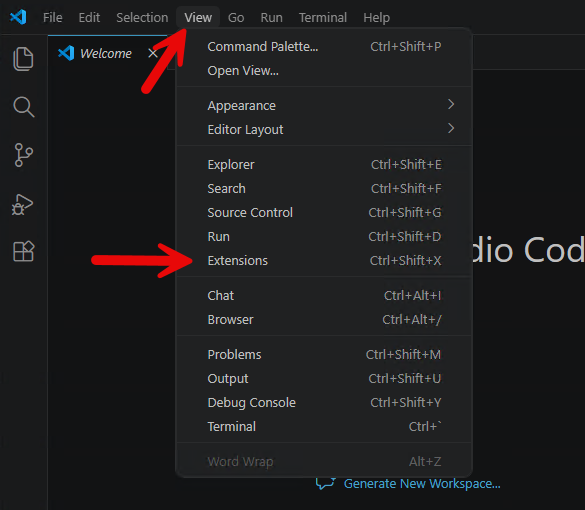
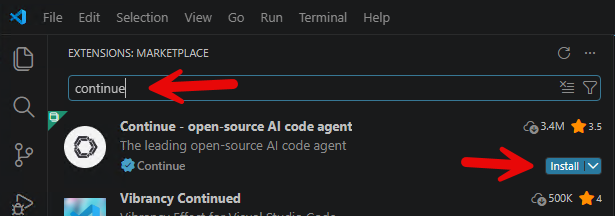
After successfully installing the extension, there will be a new icon (Continue icon) on the left bar, click to configure:
We need to add a new model to use, click on the small setting gear on top right of the Continue extension, then click Models: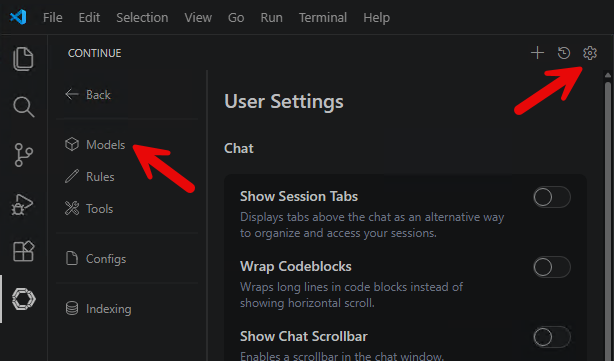
Click "config file" to open the ~/.continue/config.yaml
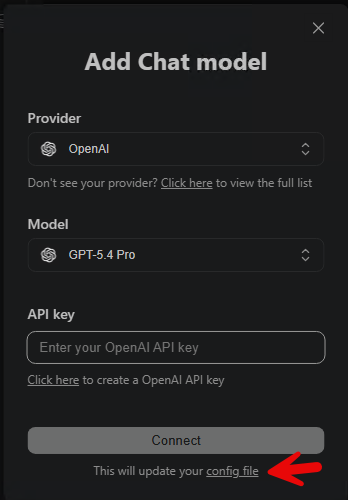
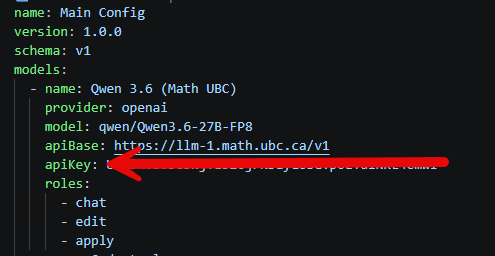
Edit the config.yaml to include this code block, then save the file:
- name: Qwen 3.6 (Math UBC)
 provider: openai
 model: qwen/Qwen3.6-27B-FP8
 apiBase: https://llm-1.math.ubc.ca/v1
 apiKey: your llm-1 API key
 roles:
  - chat
  - edit
  - apply
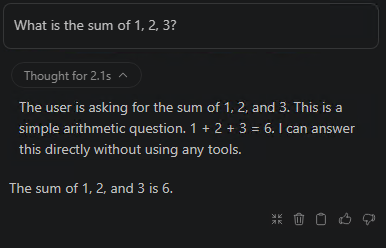
Test your chat message: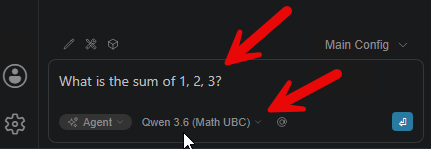
FAQ Category